- Tally® crashes with an Out of Memory error when the system’s RAM cannot handle memory requests. Here’s how to mitigate the issue:
- Optimize startup: To conserve memory, prevent Tally® from loading all companies on startup. Access the Tally® gateway, navigate to F12: Configure > Data Configuration, and set “Load companies on startup” to No.
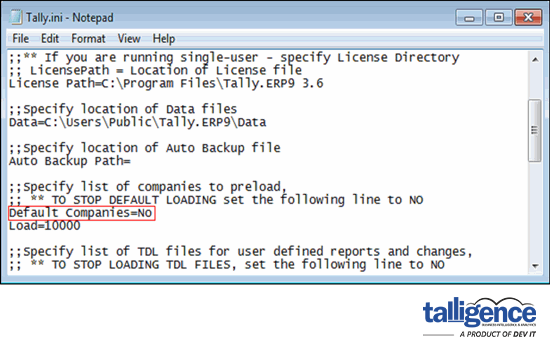
- Increase virtual memory: Expand the system’s virtual memory allocation to alleviate memory constraints. Access system properties, adjust virtual memory settings, and allocate additional space to the Tally®-installed drive.
- Deleted vouchers are synced every 60 minutes by default. This delay is due to the slow syncing process. Users can adjust the sync frequency in the desktop app to sync deleted vouchers more frequently, down to 1 minute. It’s recommended to “Cancel” vouchers instead of “Deleting” them, as cancelled vouchers can be synced instantaneously.
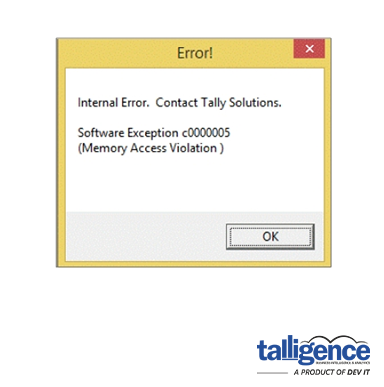
- Tally® crashes with MAV errors typically occur due to compatibility issues or data corruption. Be sure to back up your Tally® data before proceeding further.
- Follow these steps to address the issue:
- Data rewrite: Access Tally®’s gateway or the company info menu, then press Ctrl+Alt+R to rewrite company data. This process resolves many data-related issues.
- Zero rewrite: If the MAV error persists, perform a zero rewrite by closing Tally® on all systems and executing a zero rewrite process on the server system.
- Installing the Talligence Connector shouldn’t slow down Tally® unless specific issues arise. Here are some common factors to consider:
- Multiple instances: Tally® might become unresponsive if multiple instances are open simultaneously on the same computer. To optimize performance, ensure that only one instance of Tally® runs at a time.
- Syncing data: When syncing data with the Talligence Connector for the first time, Tally®’s performance can be affected, especially if there are a high number of vouchers. To check, navigate to the Tally® gateway and enter the shortcut keys “D + S + S” to view the total number of vouchers.