- No, installing Talligence should not adversely affect your system’s performance. The Talligence Connector incorporates built-in features to manage system resources efficiently. It dynamically adjusts its operations based on available RAM, ensuring smooth performance without impacting other applications.
KB Articles
- If the system shuts down unexpectedly during the sync process, rest assured that the sync will automatically resume from the point of interruption upon system restart.
- Yes, you can modify the sync interval after installation. Access the settings within the Talligence Connector and adjust the sync frequency to suit your preferences.
- In such cases, specify the IP address of the system where Tally® is installed within the Talligence Connector settings. Ensure both systems are connected via LAN for seamless data synchronization.
- Absolutely. To retrieve historical entries, you can specify the sync period and select the relevant data range, including specific months or years. Configure the settings within the Talligence Connector to sync the desired data effortlessly.
- Talligence boasts a plethora of pre-built dashboards and reports covering various aspects of business operations:
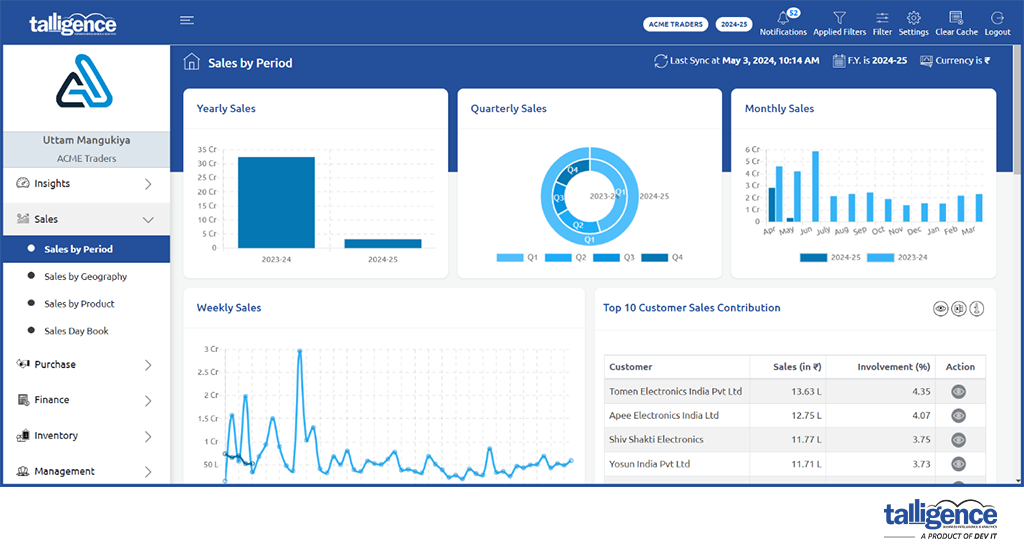
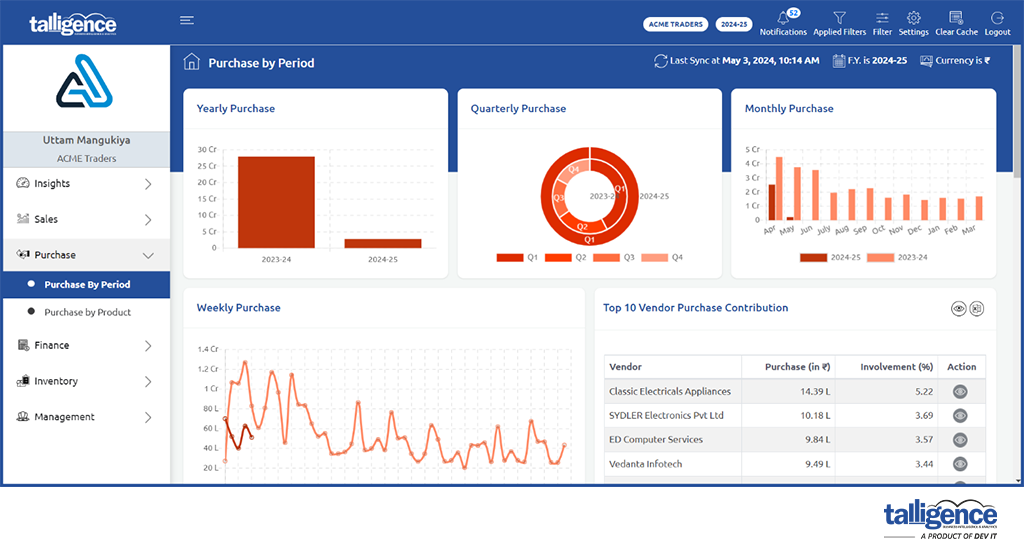
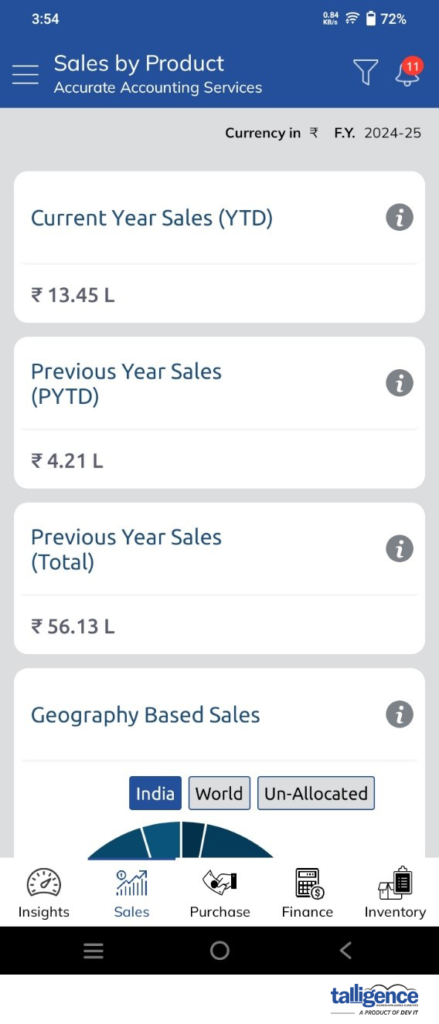
- Sales & Purchase: Explore sales to date and monthly, quarterly, and yearly KPI and trends. Analyze monthly sales, top customers, and detailed sales register.
Sales by Period report:
Purchase by Period report:
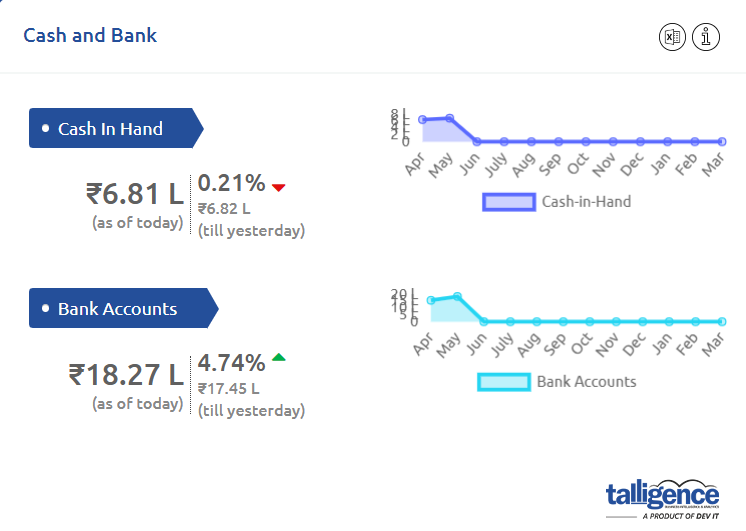
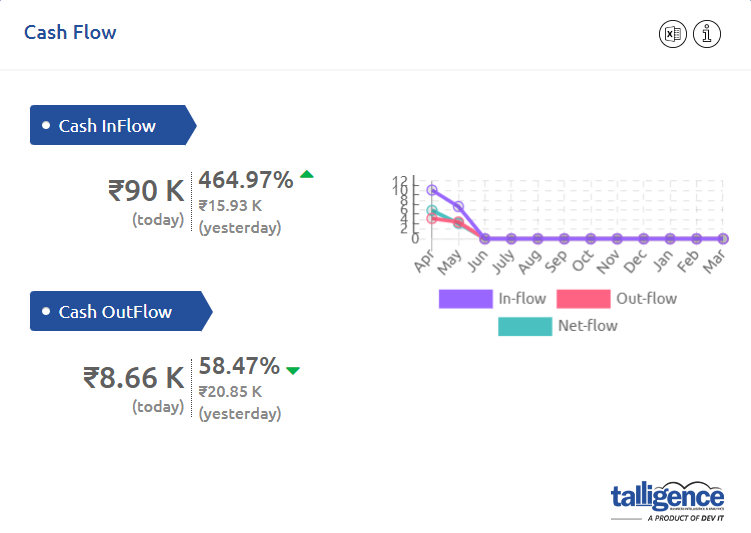
- Cash & Bank: This section reveals trends and patterns in banking and cash results over time. Users can compare results from previous periods.
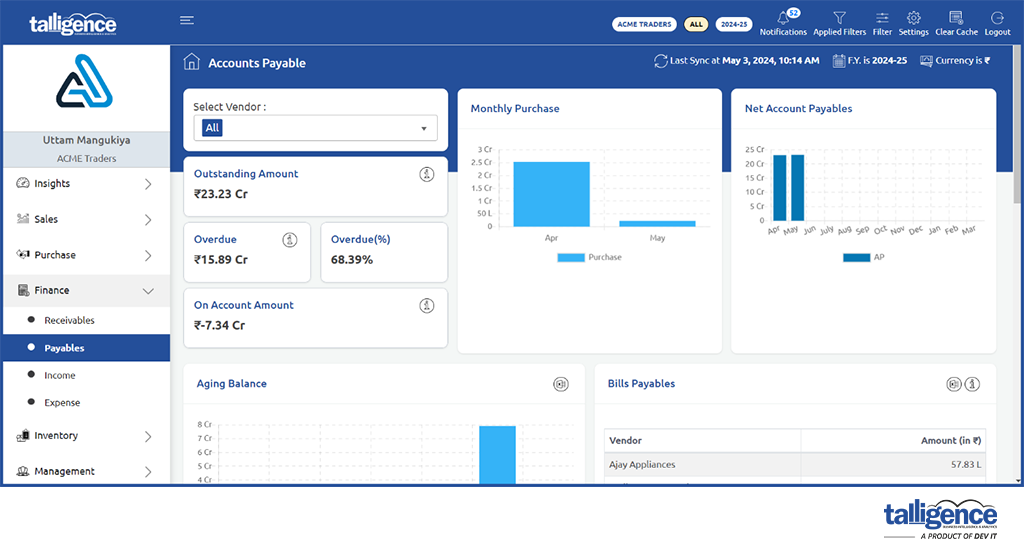
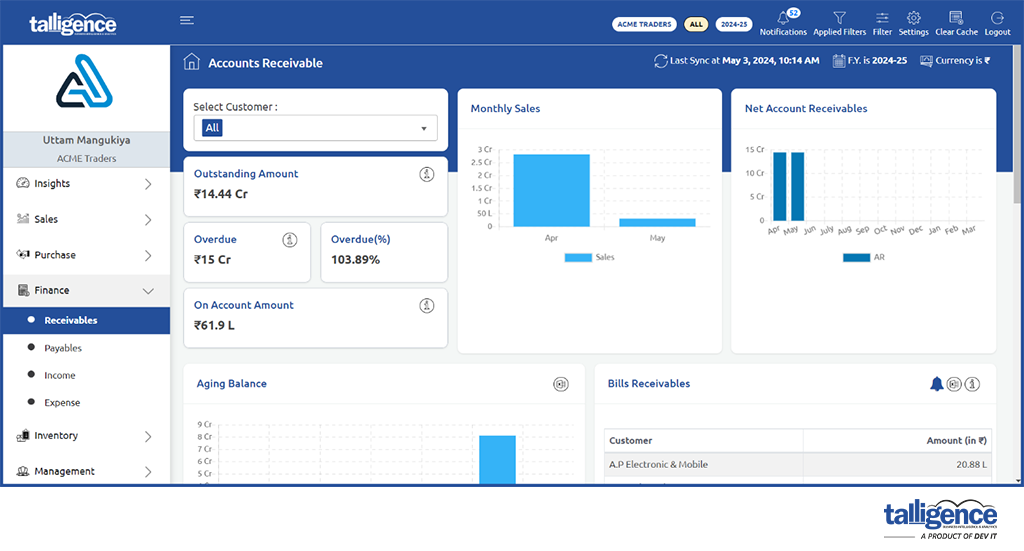
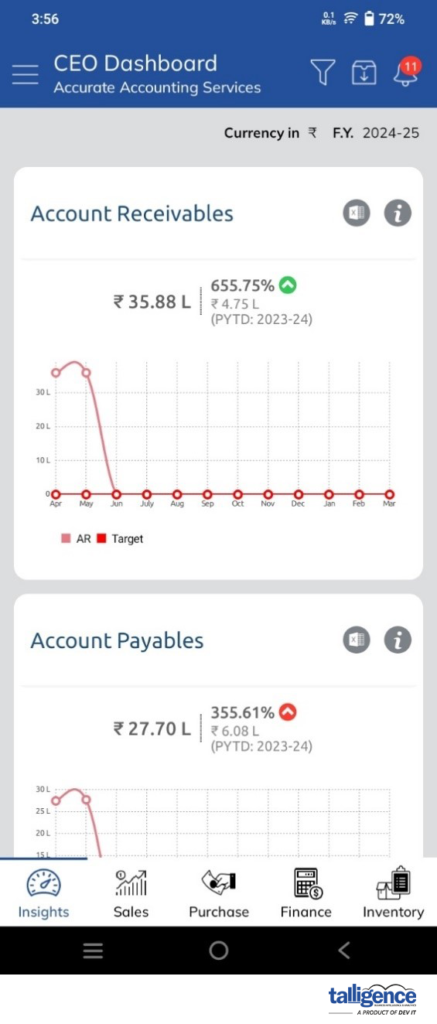
- Payable & Receivable: Break down payables and receivables by creditors and debtors and by products, services, and components. Look for trends in overdue collections.
Payable report:
Receivable report:
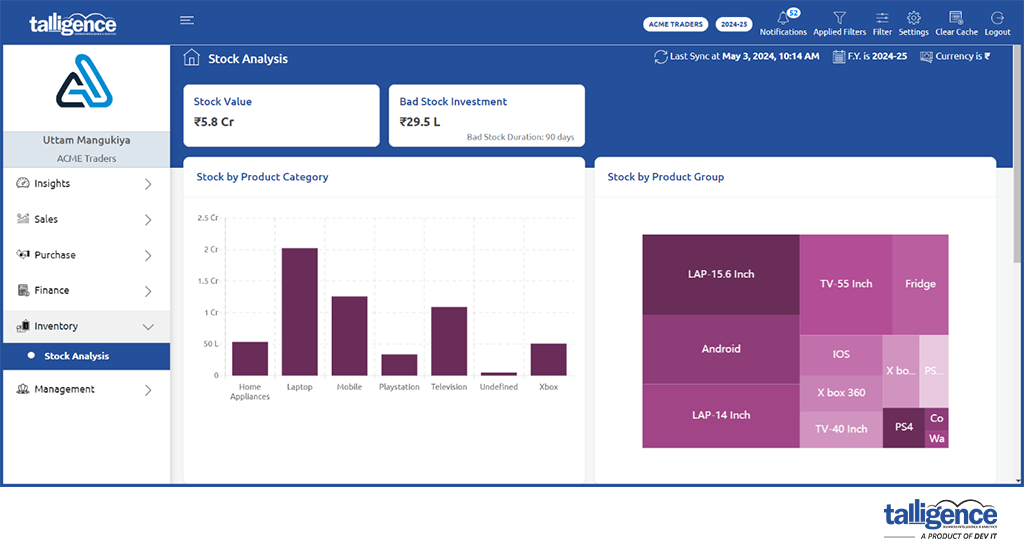
- Inventory: Analyze inventory for shortages and overages. Explore overstock, understock, suppliers, products, and shipping and distribution.
Stock analysis report:
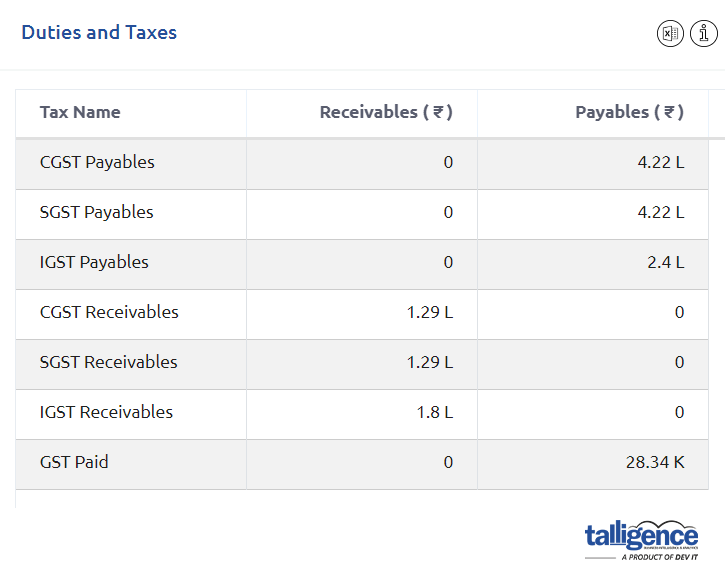
- Duties & Taxes: Examine previous taxes and tax due summary, estimate tax obligations, and analyze taxes for future periods.
- Cost Center: Analyze cost center balances and movements by cost center groups, cost center accounts, and their association with ledgers.
- Ledger: Analyze ledger entries and balances in detail with drill-down to individual voucher level.
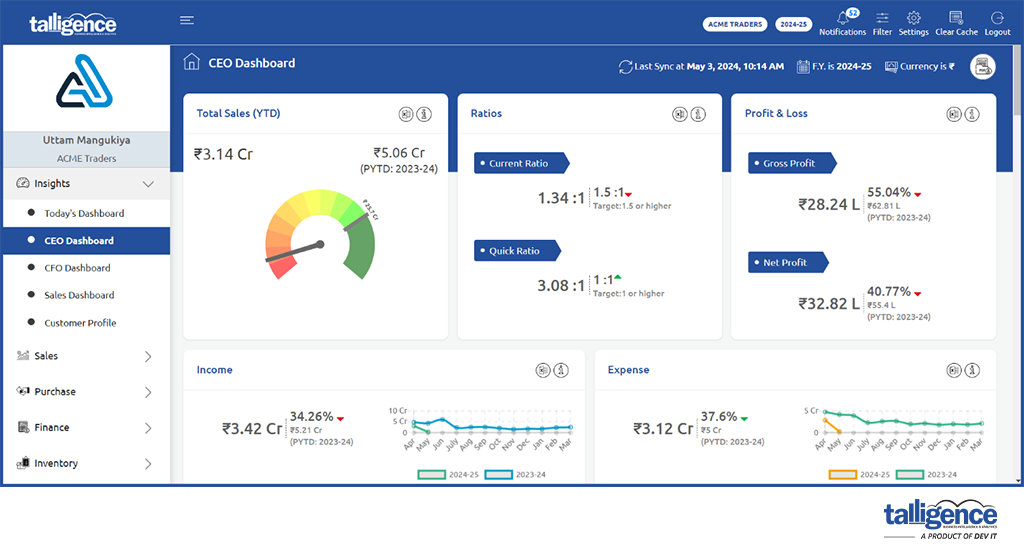
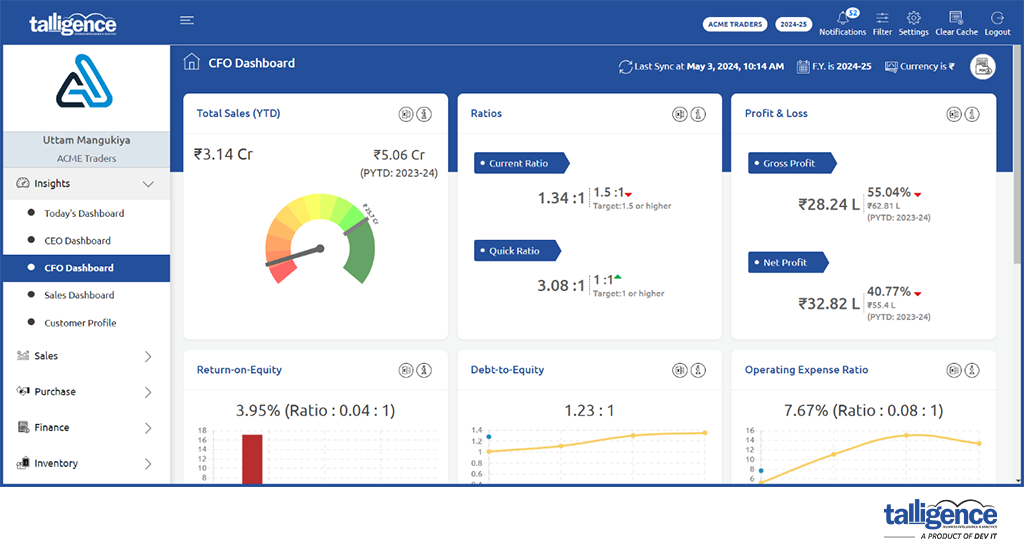
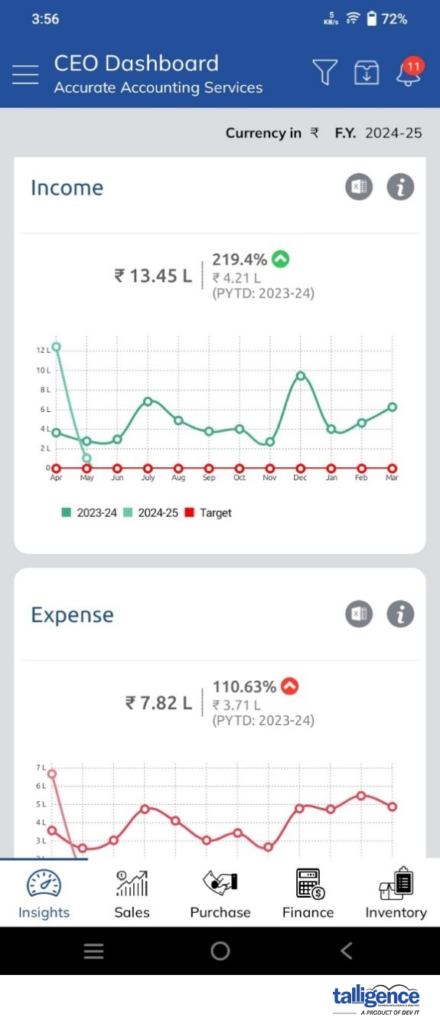
- CEO & CFO Dashboard: Specially curated with industry-standard KPIs that reflect the performance of the business in a simple one-page dashboard. The dashboards are mission control and a window into understanding their business’s daily operations and growth.
CEO Dashboard:
CFO Dashboard:
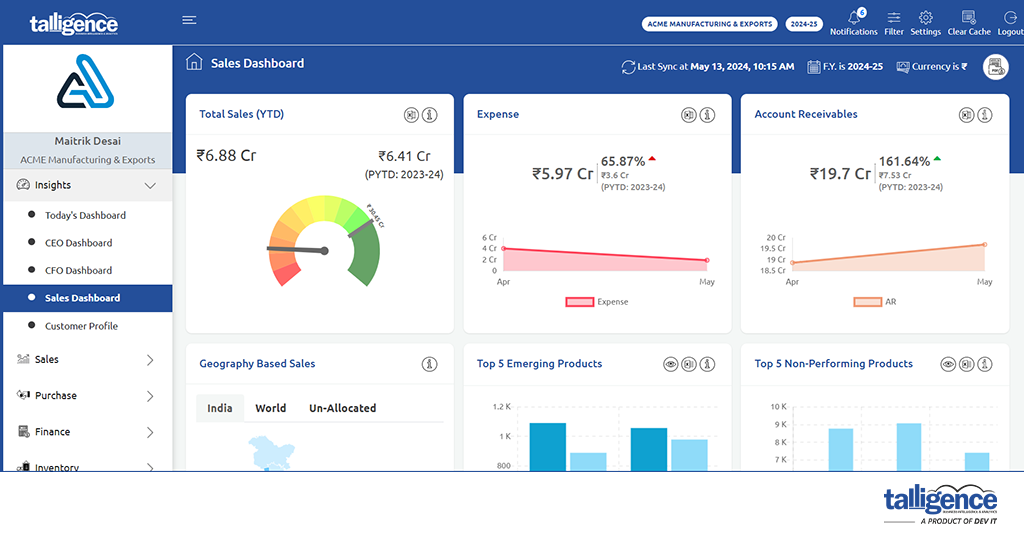
- Sales Dashboard: This tool enables C-level executives and managers to control and monitor sales KPIs effectively in one central place. It also helps teams reach sales goals through detailed sales performance analyses, cycle lengths, and funnels.
Sales Dashboard:
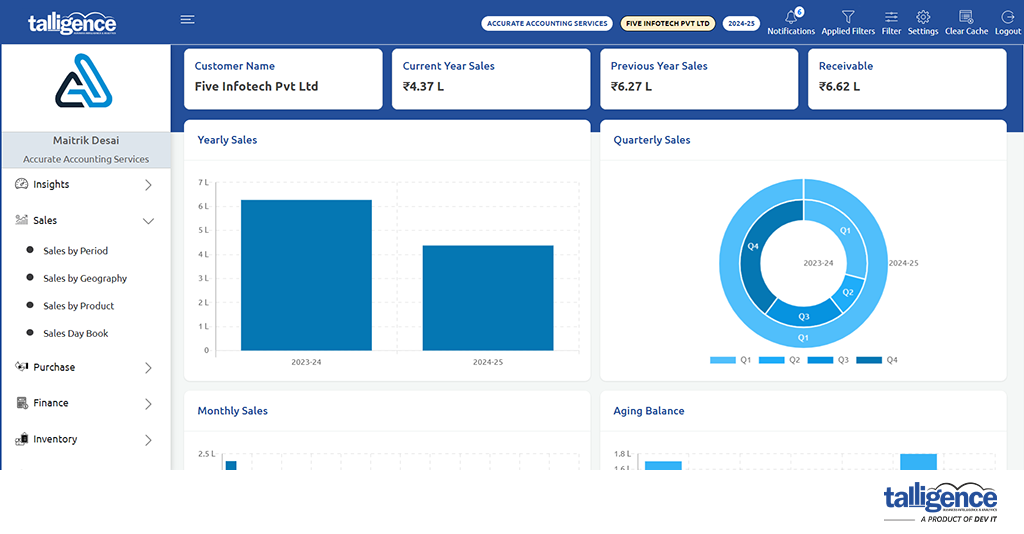
- Customer Profile: Do you need to know your customer? Do you want to see how much he contributes to your business? Which products do they order, and how frequently? How good are they at clearing their dues? This is the dashboard that you need.
- Each dashboard provides insightful analytics and business insights, offering a comprehensive understanding of business performance.
- Data is stored in three locations:
- PC: Data is stored on the PC where the desktop app is installed.
- Server: Data is stored on AWS servers hosted by Talligence.
- Mobile Device: Encrypted data is stored on the user’s mobile device. Data stored at all locations is encrypted, ensuring security.
- To begin using the Talligence mobile app, follow these steps:
- Download the app: Visit the Google Play Store (for Android) or the Apple Store (for iOS) to download the Talligence Mobile App.
- Subscription activation: Ensure you have an active subscription to Talligence and have been authorized by your company’s administrator to use the app.
- Authentication: Upon launching the app, you must verify your identity. An OTP (One-Time Password) will be sent to your registered mobile number. Enter this OTP to proceed with the authentication process.
- Begin using the app: Once authenticated, you can start exploring the features and functionalities of the Talligence mobile app.
- The Talligence mobile app operates by connecting securely to Talligence cloud servers. Only authorized accounts can access the app, and authentication is required through a one-time OTP mechanism before accessing the app. This ensures that only authenticated users can access sensitive business data.
- No, the Talligence mobile app is included in your Talligence subscription. However, it’s important to note that an active internet connection (either Wi-Fi or mobile data) is required to access data through the app.